School fundraisers for Shopify stores
GiveBack lets your Shopify store run fundraisers for schools, PTOs, booster clubs, bands, sports teams, scout troops and churches. Families shop your store online instead of filling in paper order forms. Each group gets its own status page, and on the Growing plan its own shopping link and shopping QR code, which credit purchases to it automatically.
How it works
- Choose the eligible products, one by one or by product tag.
- Add each school or group as a recipient.
- On the Growing plan, give each recipient its shopping link and shopping QR code to send home to families.
- Purchases that start from a shopping link are credited to that recipient automatically, and customers can name their seller after checkout, on the order confirmation page.
- Each recipient follows what it has raised on its status page.
Credit every seller
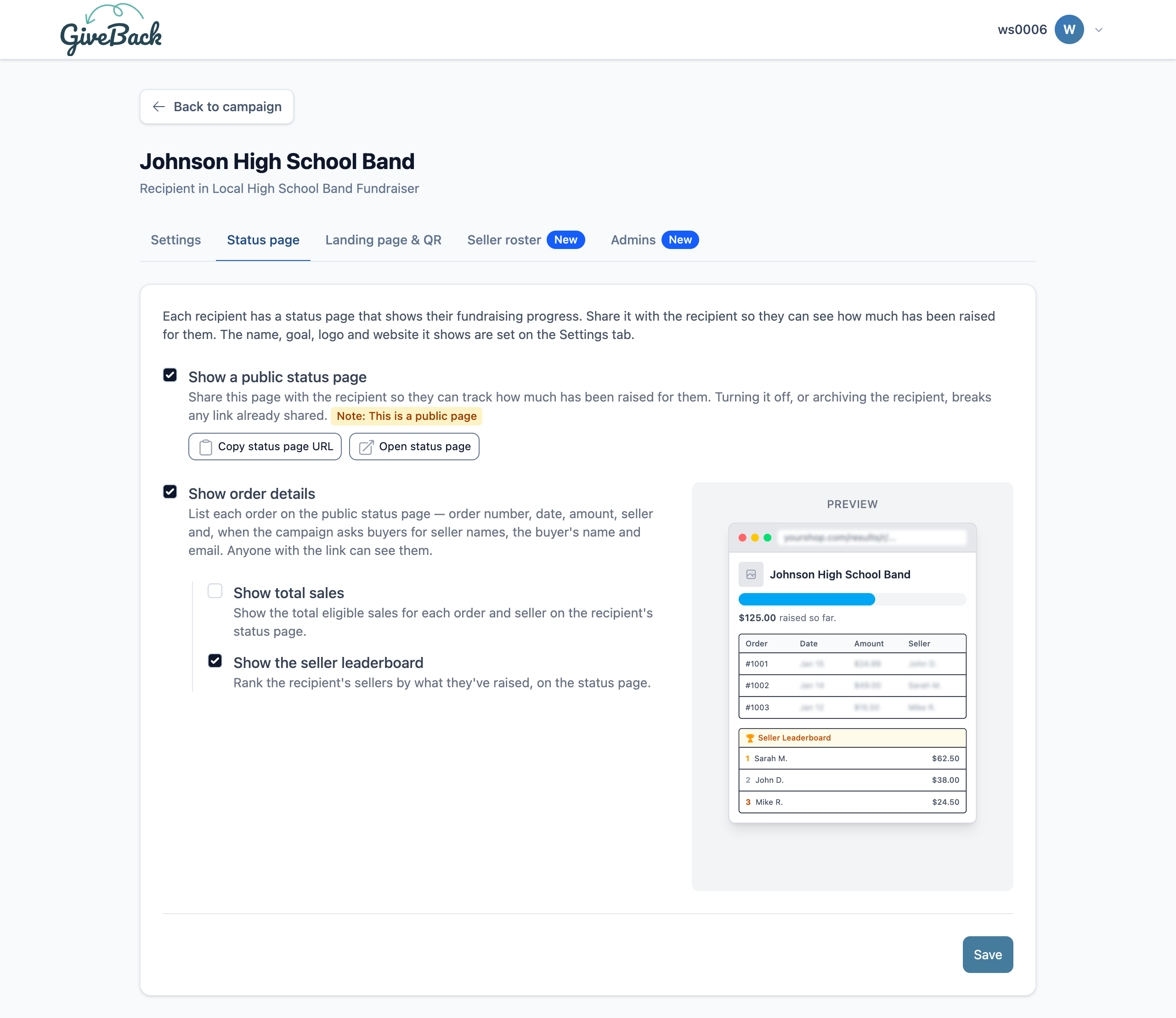
When your campaign asks for the seller's name, customers pick their seller from the recipient's seller roster after checkout, on the order confirmation page, or type a name that isn't listed. You can add sellers in bulk, merge duplicates and fix typos, and each recipient's status page can show a seller leaderboard, so sellers can see where they stand.
What it costs
Shopping links and shopping QR codes come with the Growing plan: $49 a month after a 7-day free trial, with up to 50 recipients per campaign. On the Startup plan, at $19 a month, customers pick from a list of up to 3 recipients instead. Both plans are billed monthly through Shopify.